Syncing FlexyNook Bookings with Outlook and Google Calendar
FlexyNook allows you to synchronize your upcoming workspace bookings directly with your personal or professional external calendars using an iCal feed. This ensures your availability is always up to date across all your tools.
Get Your Personal iCal Sync Link in FlexyNook
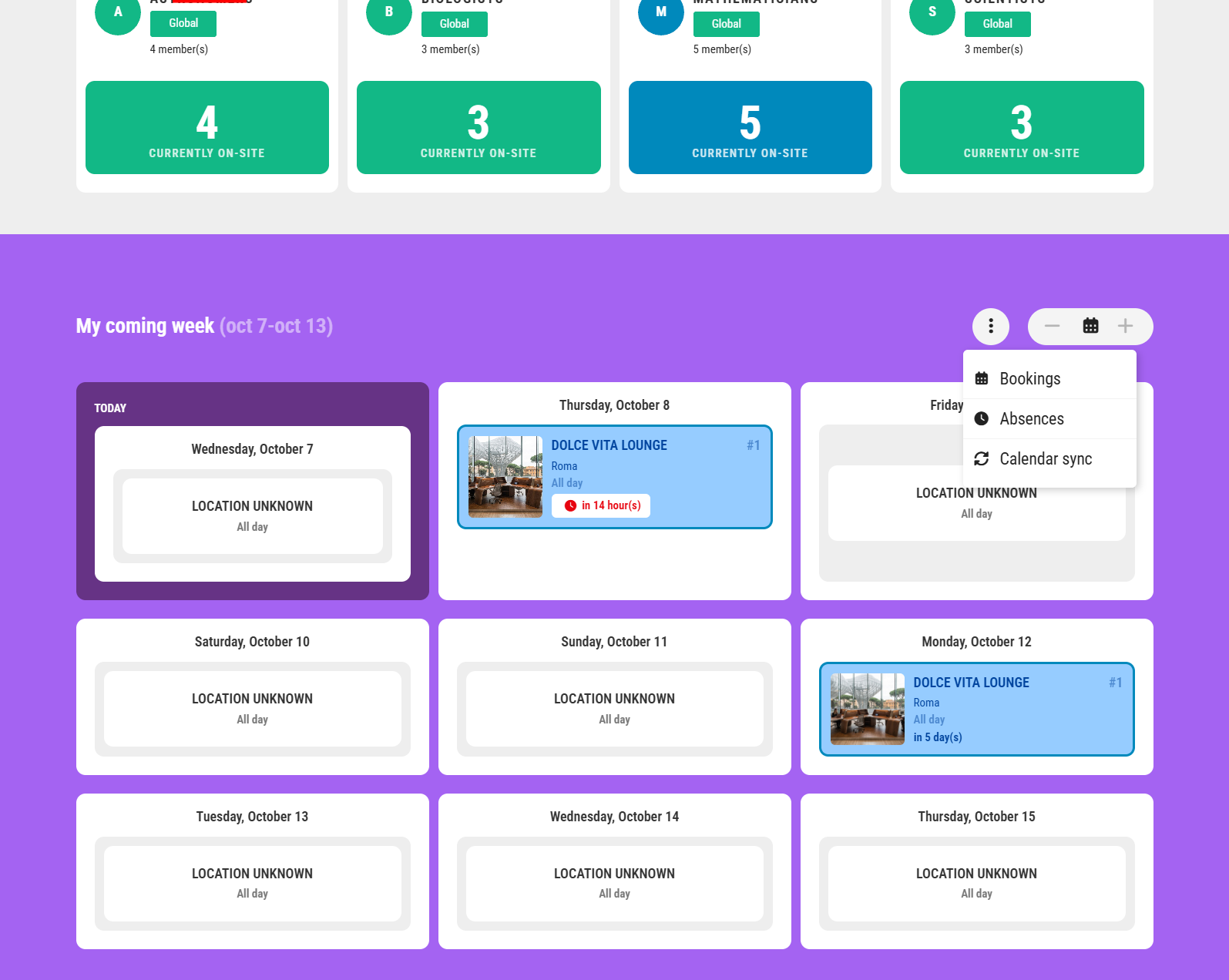
You can copy your unique iCal link from either the homepage or your account settings:
- From the Homepage or Account page:
- Go to the main dashboard and locate the My Coming Week section.
- Click the three dots (…) icon.
- Select Calendar Sync and click Copy Link.
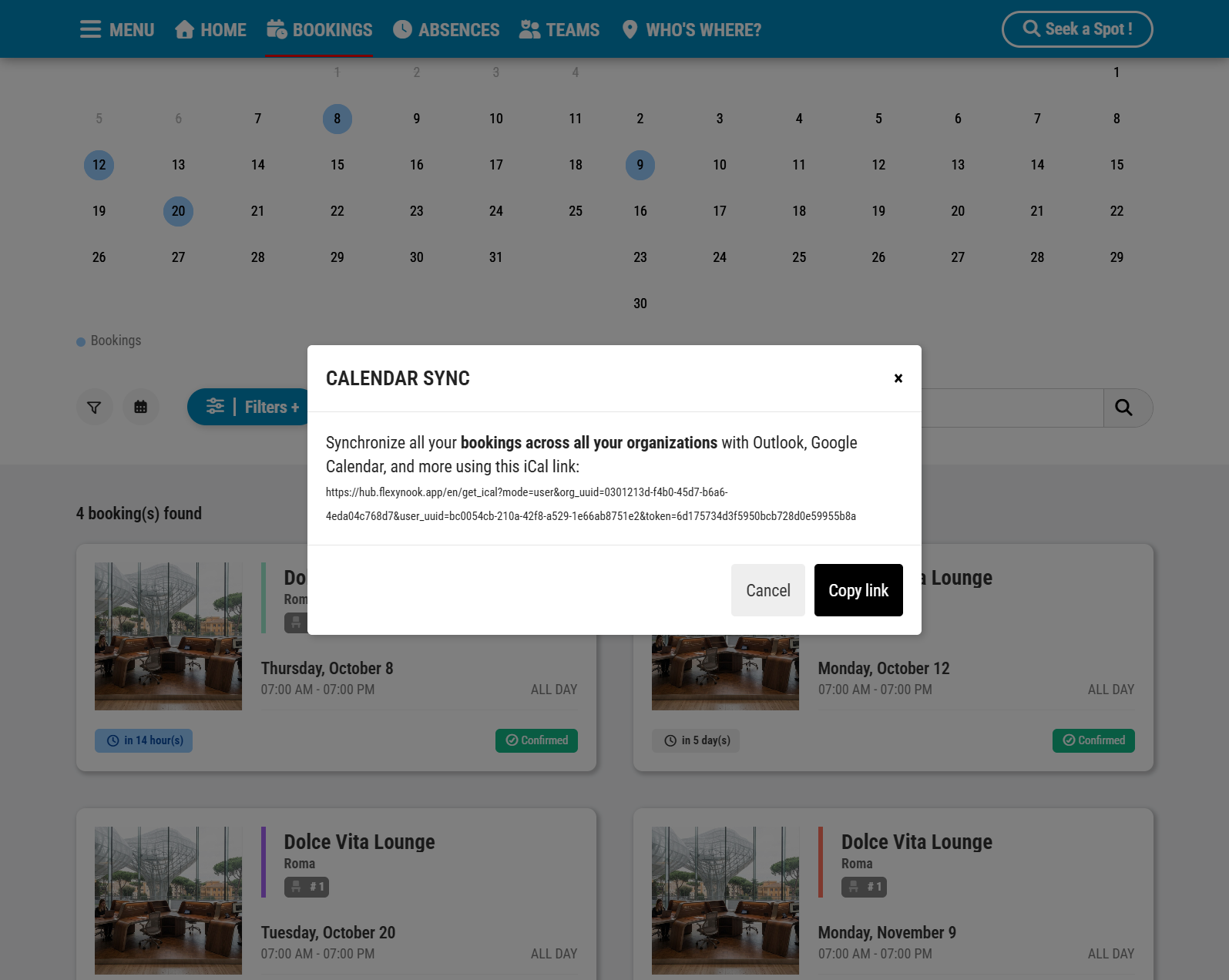
- From My Bookings:
- Click the Calendar icon.
- Click Copy Link to copy the URL to your clipboard.
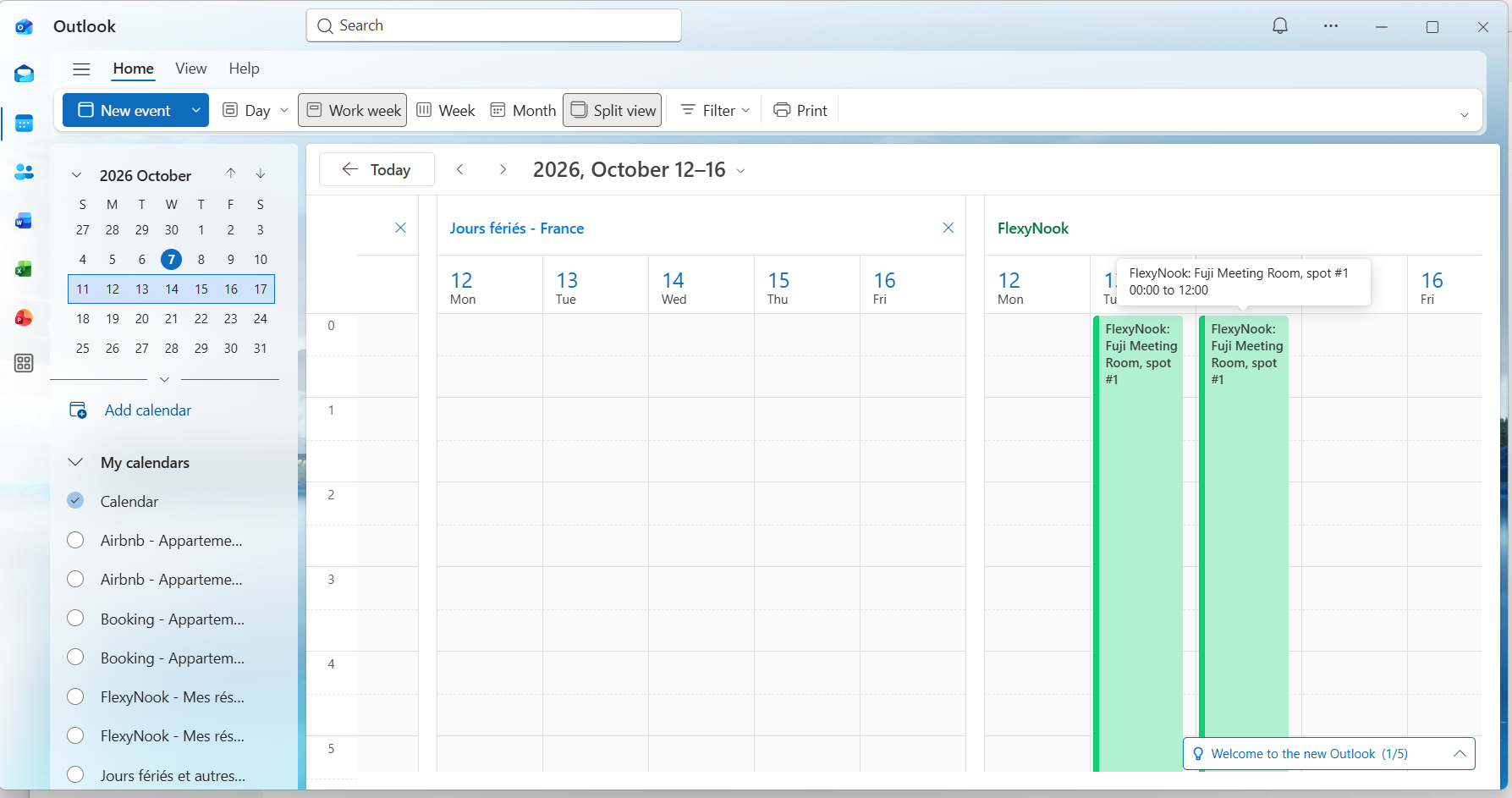
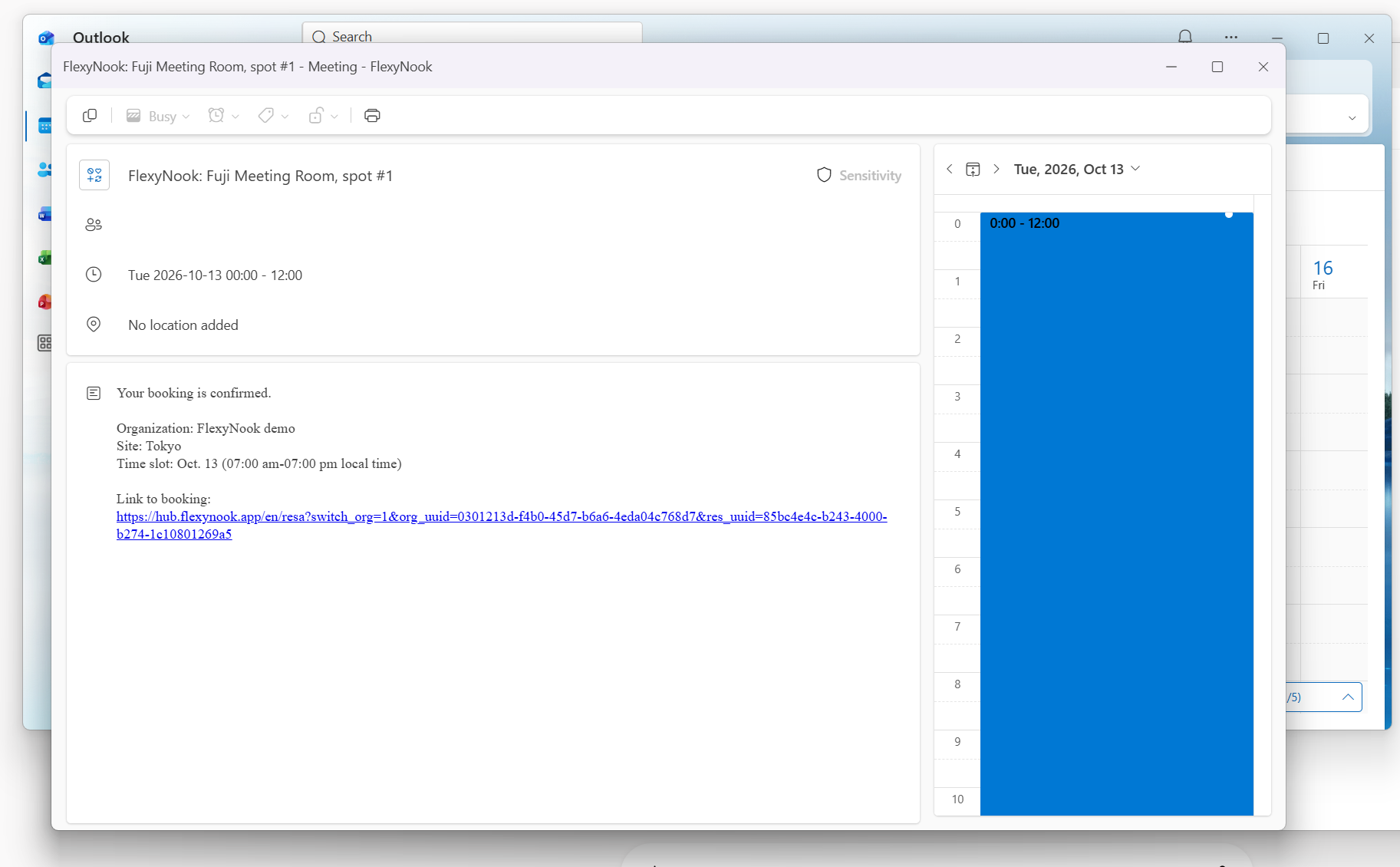
Import the iCal Feed into Your Calendar
For Microsoft Outlook (Web & Desktop)
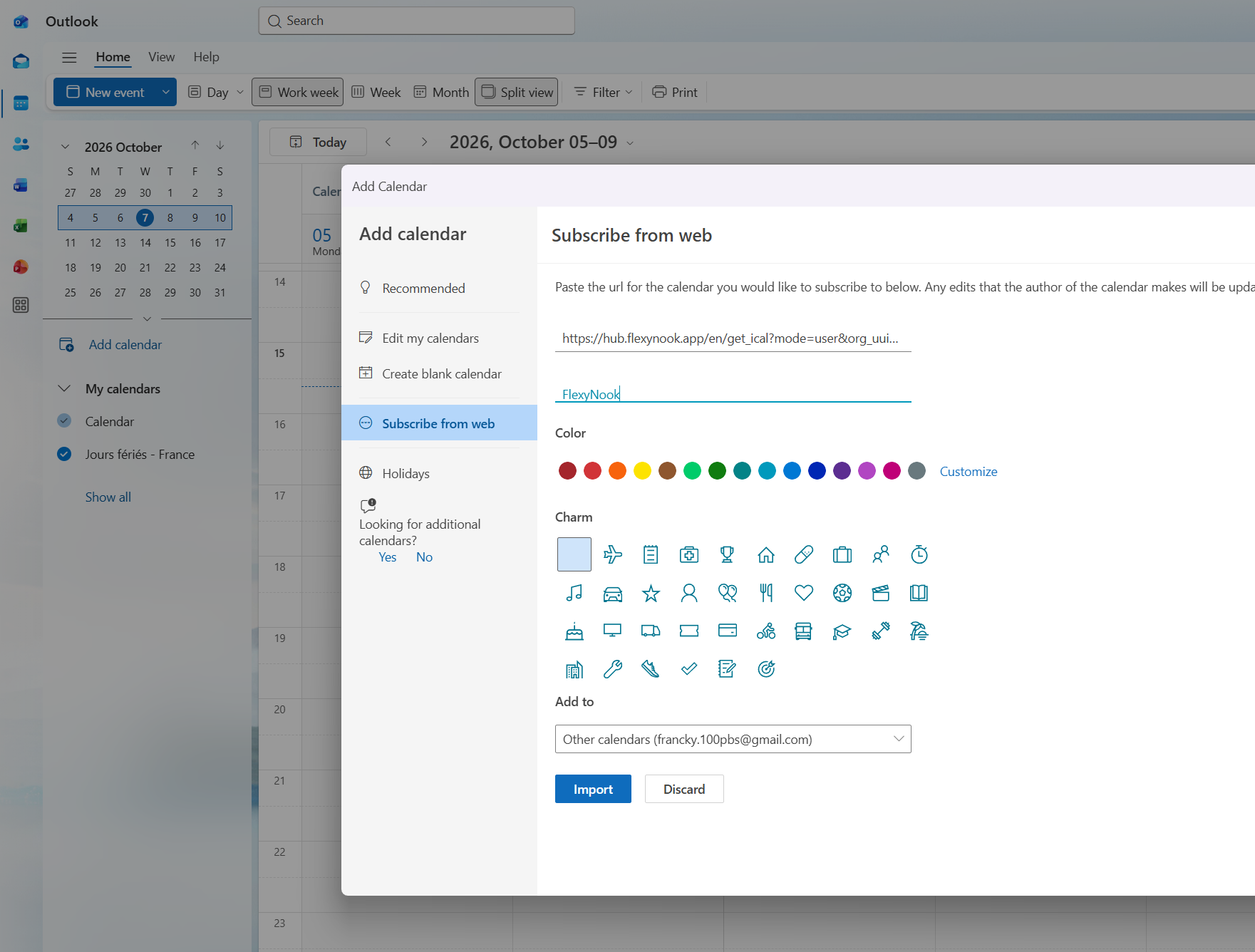
- Open Microsoft Outlook and go to the Calendar view.
- Click Add calendar (or Import calendar).
- Select Subscribe from web (or From Internet).
- Paste your copied FlexyNook iCal link into the URL field.
- Enter a name for the calendar (e.g., FlexyNook Bookings) and click Import or Save.
For Google Calendar
- Open Google Calendar on your web browser.
- In the left sidebar, locate Other calendars and click the + (plus) icon.
- Select From URL.
- Paste your copied FlexyNook iCal link into the URL of calendar field.
- Click Add calendar.
Important Details & Sync Behavior
One-Way Sync (Read-Only): This synchronization is strictly an informational one-way export (FlexyNook -> External Calendar). Creating, editing, or deleting an event in Outlook or Google Calendar will not modify or cancel your booking in FlexyNook.
Direct Management Link: Inside each synchronized calendar event in Outlook or Google Calendar, a direct link is included in the event details. Clicking this link redirects you straight to FlexyNook so you can quickly manage or cancel your reservation.
Security Key Changes & Resynchronization: Each iCal feed URL contains a secure token derived from the system Security Key. If an administrator resets or updates the application Security Key, all previous calendar URLs become instantly invalid. If this occurs, users must generate a new iCal link in FlexyNook and re-subscribe in Outlook or Google Calendar.
Refresh Frequency: External calendar providers automatically poll your FlexyNook iCal feed. While updates are generated in real time on FlexyNook’s side, external providers usually refresh their feeds periodically (typically around every hour depending on the calendar client).
Have a question about this guide or FlexyNook?
Need help configuring your spaces or want to clarify a feature? Our team is here to help you get started.