
Tutorial
Why Booking Conflicts May Occur and How FlexyNook Handles Them
FlexyNook is engineered to make workspace sharing seamless while completely preventing double bookings. Thanks to real-time binary GMP occupancy calculations, double-booking any space or seat is strictly impossible, even in shared spaces with multi-seat capacity or dedicated assignments.
conflict
When Can a Booking Conflict Occur?
A booking conflict can only occur under one and only one specific scenario:
- A user with a permanently assigned workspace registers an absence.
- FlexyNook temporarily releases their assigned desk, allowing another user to book it during that window.
- The user owner subsequently cancels or deletes their absence.
resolving
How FlexyNook Automatically Resolves Conflicts
When an absence deletion triggers a conflict, FlexyNook handles the resolution automatically based on built-in business rules:
- Priority to Workspace Owners: The permanent spot owner always reclaims their workspace automatically.
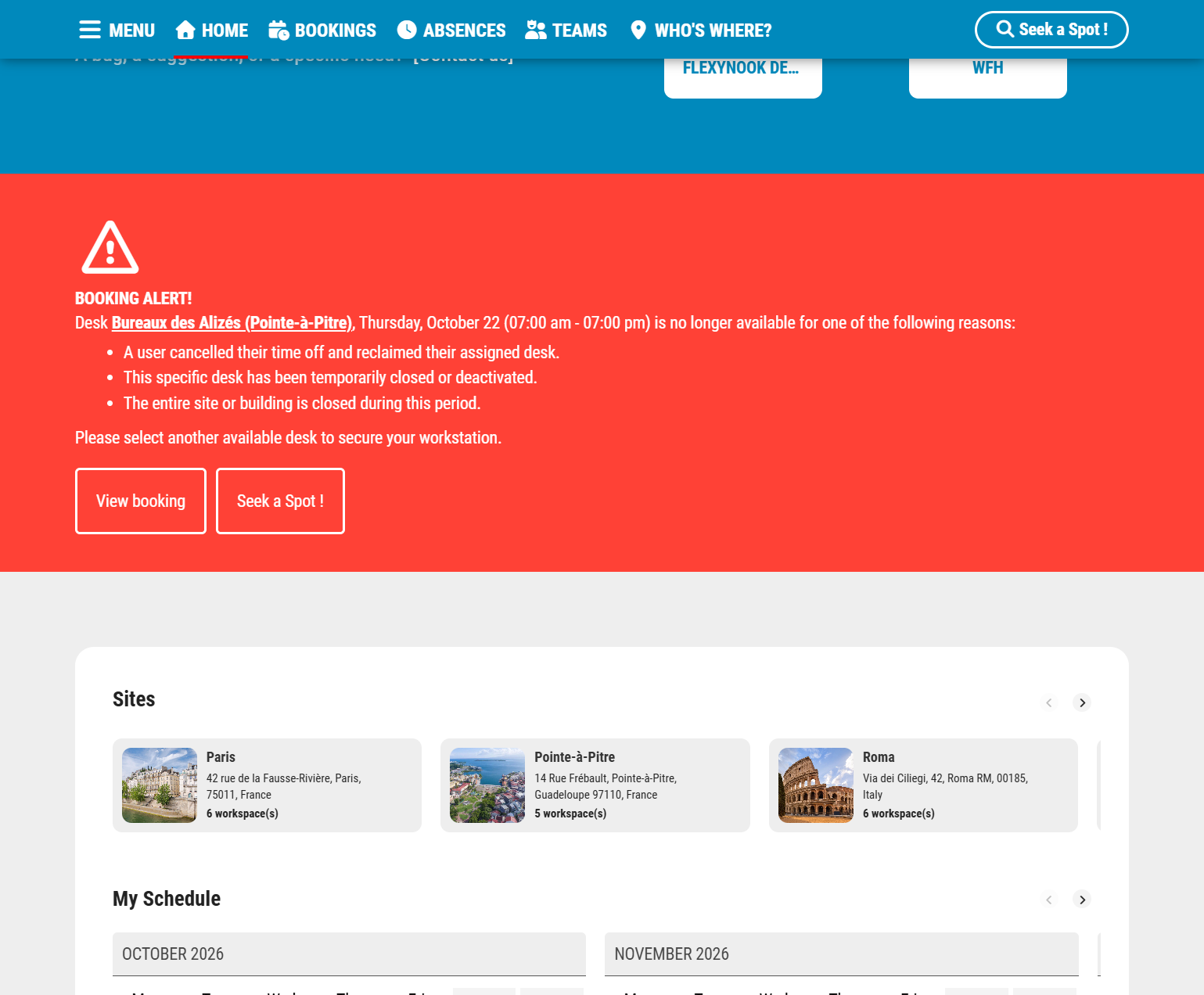
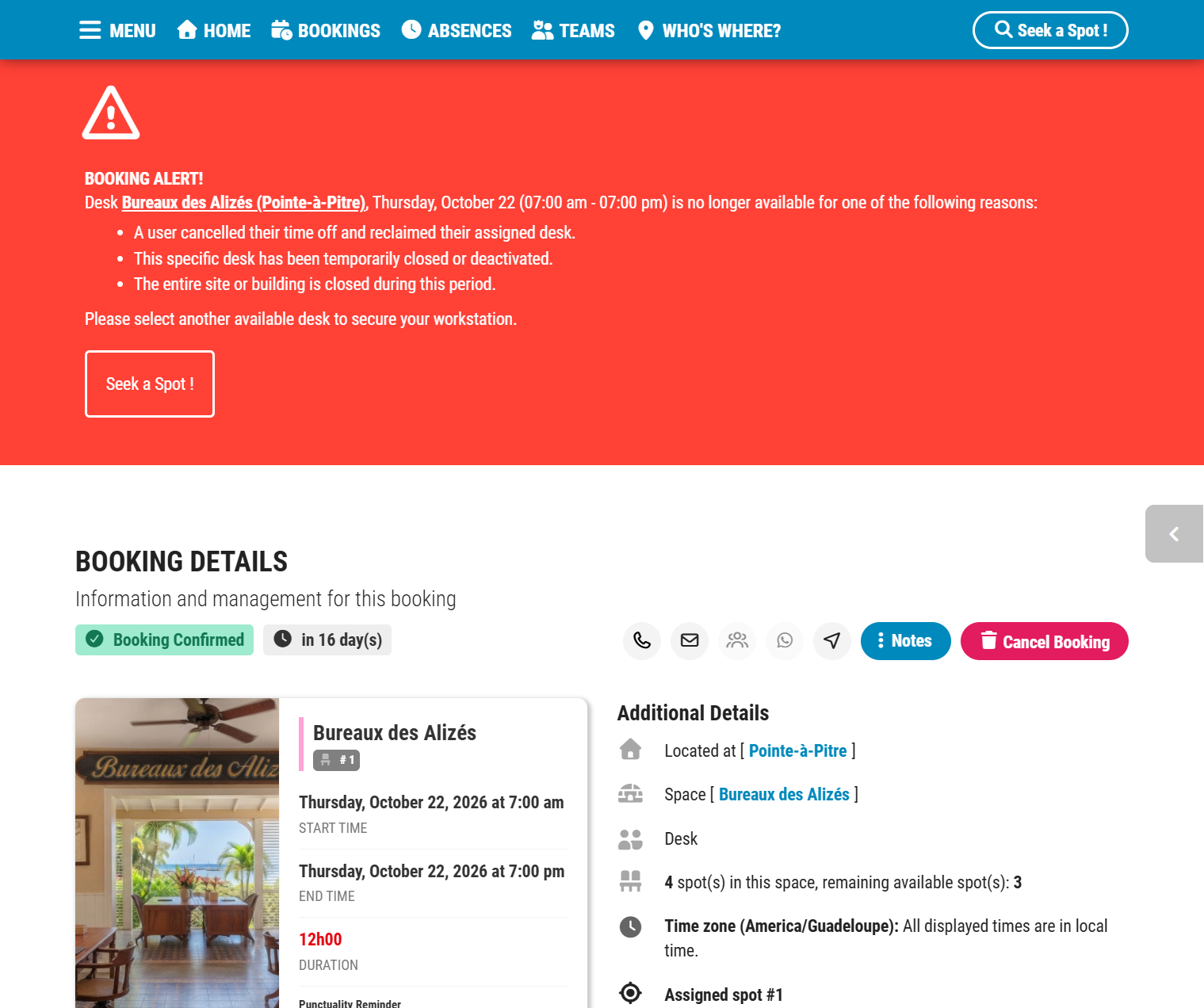
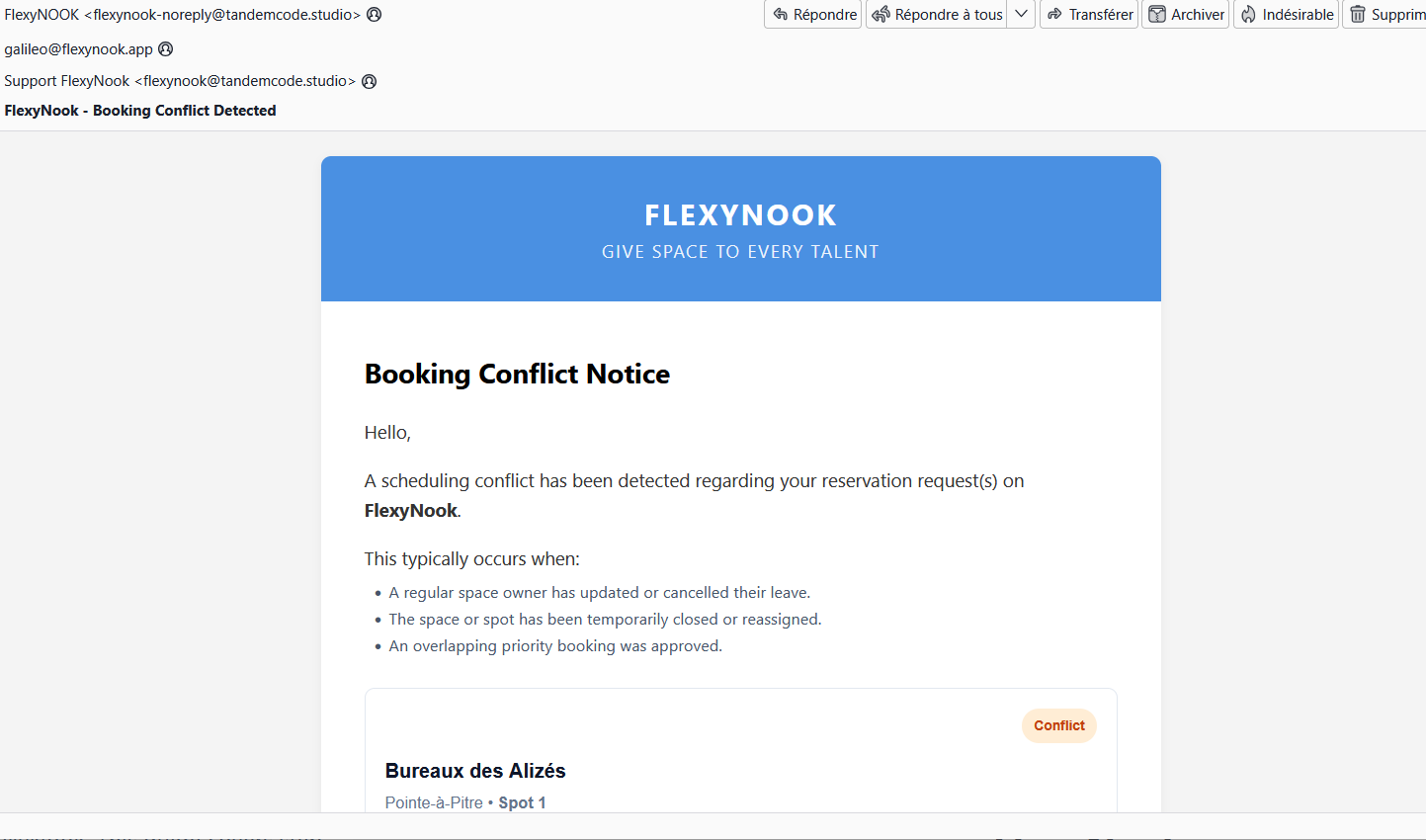
- Immediate Multi-Channel Alerts: The user whose booking was affected is immediately notified:
- An automated conflict notification email is sent prompting them to select another workspace.
- A visual notification appears directly on the application home page upon logging into FlexyNook.
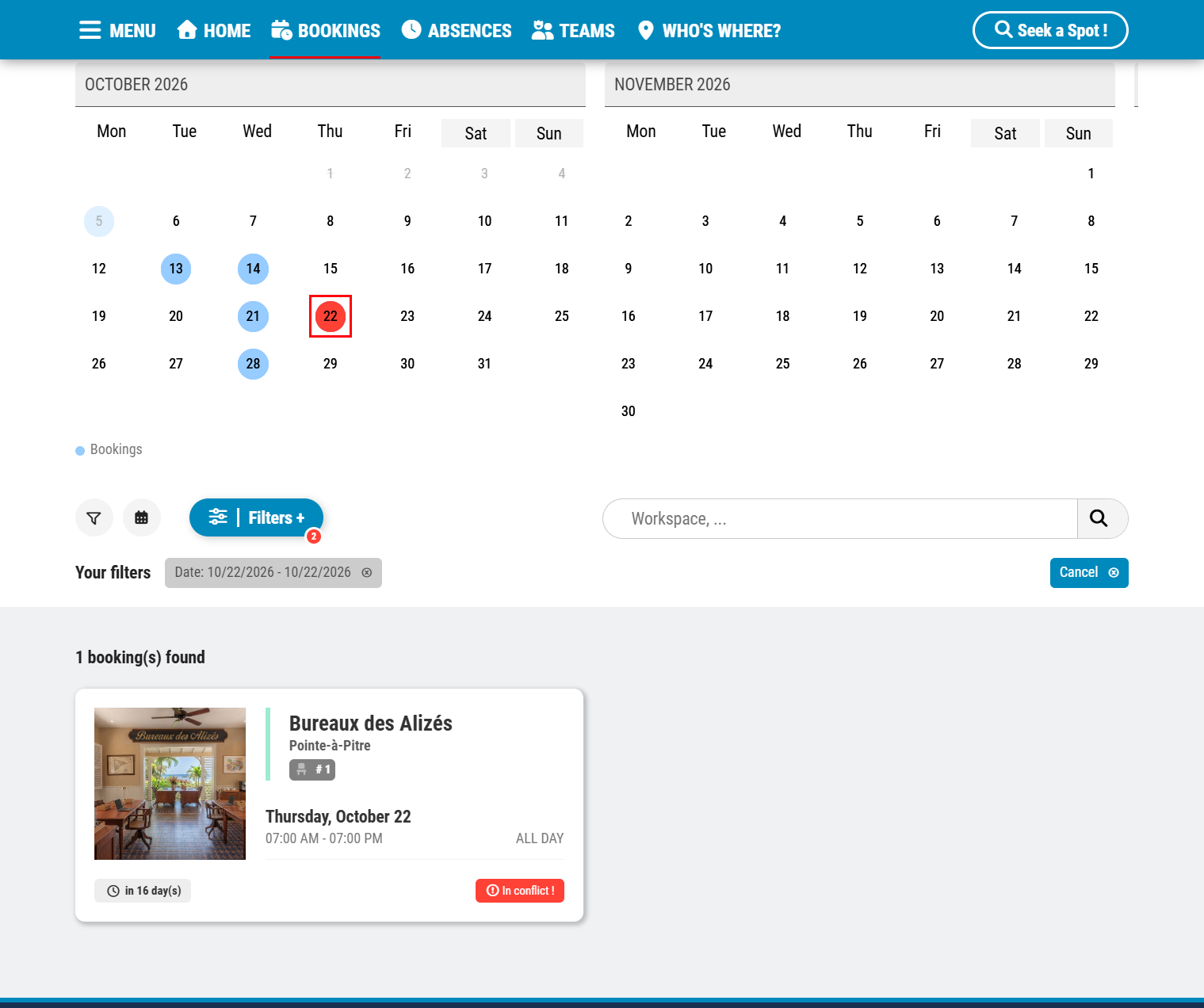
- In the schedule/planning view, the conflict is clearly highlighted with a flashing red dot on the affected day.
Seamless Experience for Workspace Owners
For the assigned desk owner, the resolution is entirely transparent and invisible — no action is required.
Have a question about this guide or FlexyNook?
Need help configuring your spaces or want to clarify a feature? Our team is here to help you get started.

Contact